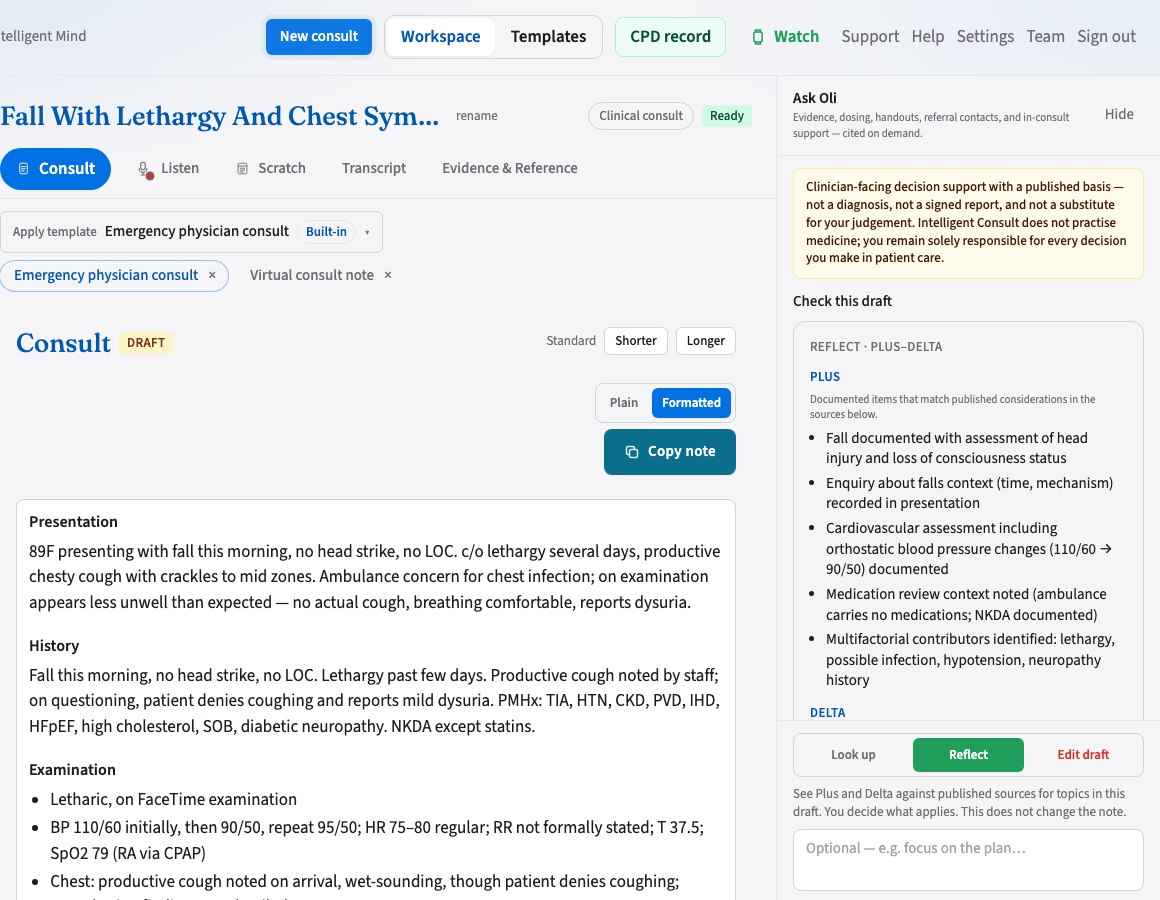
The desktop workspace is home — Consult tab, Copy note, and Ask Oli. Phone and watch can record; you finish the note here.
What you need
Desktop (Mac or Windows app) — home. Listen in the room or on a call; review, edit, and finalise here
A microphone
A free Intelligent Consult account
Browser is the fallback when you cannot install — same consult console; listen is weaker (Safari and Firefox stay mic-only). Phone and watch drafts appear there too.
Optional later: the phone or watch apps for mic-only capture in the room. Same account. The draft always comes back to desktop — or to the web console if that is your computer.
Your first ten minutes
Do this on the Mac or Windows app (or in the browser if you cannot install).
Sign up and acknowledge compliance for your jurisdiction.
Pick a template — built-in GP notes work well for a first clinical try, or Meeting minutes for a non-clinical one.
Start a session from New consult.
Press Transcribe after reading any required consent script — leave the mic on in the consult, or dictate the note yourself.
Stop recording and wait for your draft (usually a few minutes).